Download Photos, Reels, Stories and Videos
A download icon appears near each post, reel and story. One tap saves it to the gallery. Quality matches the original upload. Most people install the Insta Pro app for this feature alone.
Insta Pro is a modified version of the Instagram app for Android phones that lets you save reels, use Ghost Mode privacy, and lock chats with a PIN.
 v15.90 Latest
Here is a quick look at the file before downloading.
| Detail | Info |
|---|---|
| App name | Insta Pro (also written InstaPro) |
| Also searched as | Insta Pro Mod APK, Insta Pro Mod App, Instagram Pro |
| File type | APK |
| Latest version | 15.90 |
| File size | 168.72 MB |
| Works on | Android 5.0 or newer |
| Last updated | 2 days ago |
| Category | Social, Instagram mod |
| Price | Free to download |
| Root needed | No |
Version and size change with every update, so the numbers near the download button are always the latest. After downloading, compare three things: the version number, the file size, and the .apk ending. If all three match, the right file is on the phone.
After installing, open the app settings and check the version number. If it is lower than the one on this page, an older copy went in. Remove it and install the new file.
Two styles of numbers show up on download pages. Some lines use a short number like 15.90, which is the mod’s own release number. Others use a long number like 421.0.0.51.68, which follows the Instagram build the mod is based on. Both are normal. The key is to compare like with like: use the number near the download button and the number on the app’s about page. A higher number in the same style means a newer file.
Insta Pro is a third-party mod of Instagram. Independent developers take the base app, add extra tools, and share it as an installable file. It is not part of the regular Instagram app, and it does not come from the Play Store. That is why it has to be installed manually and updated manually.
APK stands for Android Package. It is the file type Android uses to install apps. Play Store apps use it too, but the store hides that step. With Insta Pro APK, the file is downloaded and opened by hand.
The same app goes by a few names: Insta Pro Mod APK, Insta Pro Mod App, InstaPro, and sometimes Instagram Pro. The Insta Pro application is the same in every case. Insta Pro Mod Version just means the modded build, as opposed to the regular app.
Most people try a mod for one small reason. The regular app has no download button, shows ads between posts, and leaves little room for changes. A mod fills those gaps. Others like the privacy switches, and some just enjoy a different look. None of these reasons means the extras have to be used every day. Many people open them only now and then.
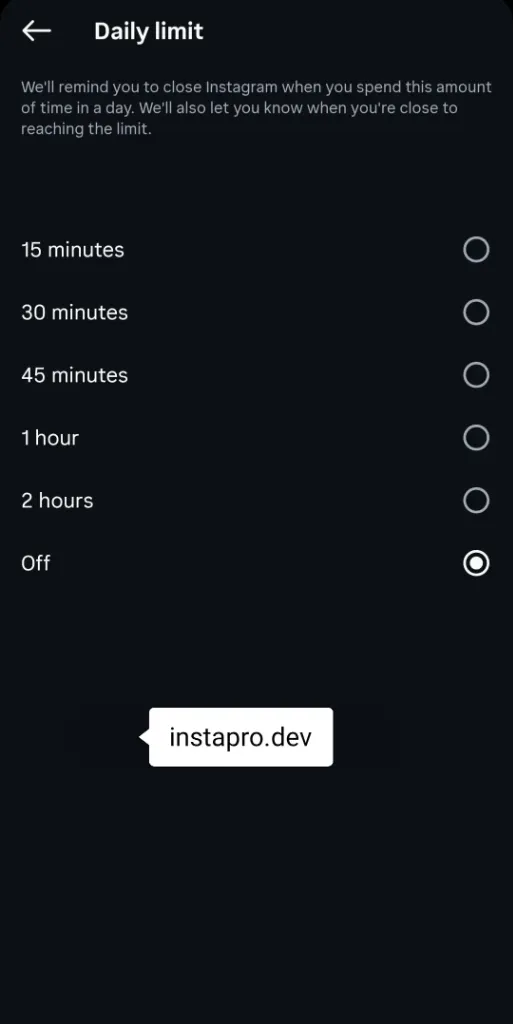
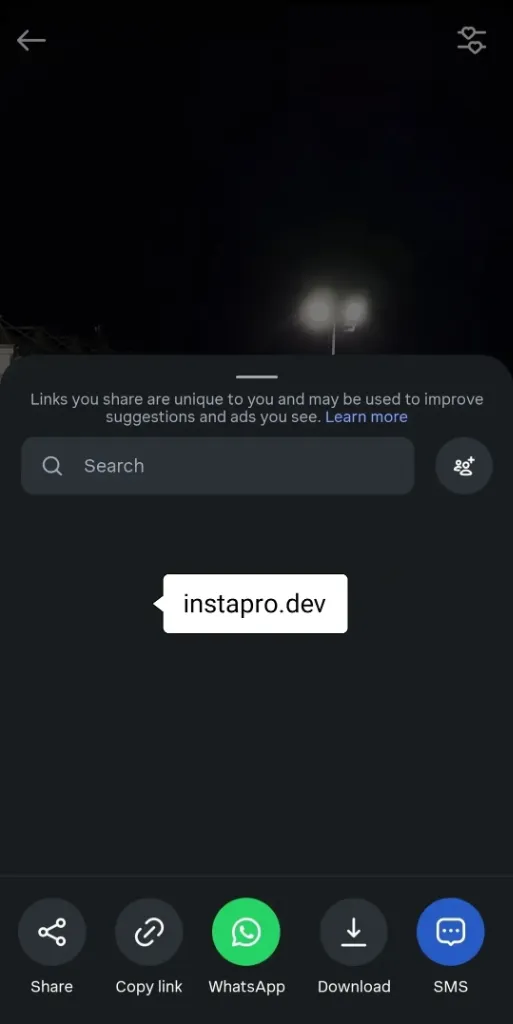
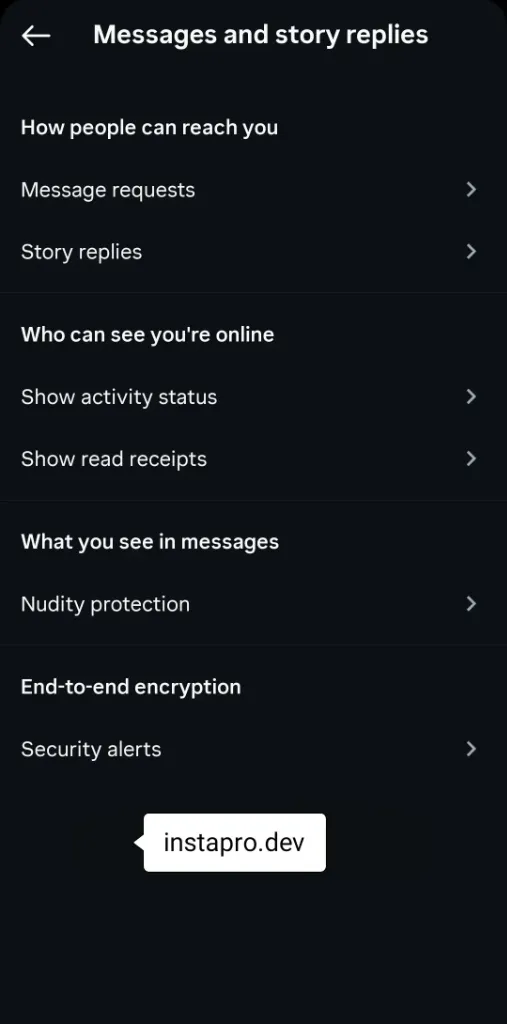
| Feature / Area | Insta Pro | |
|---|---|---|
| Saving photos, reels, stories | No download button | Download icon near each post |
| Viewing stories | Name appears in the viewer list | Can be opened without the usual mark (Ghost Mode) |
| Ads | Frequent | Fewer sponsored posts |
| Look | Fixed | Themes, fonts and dark mode |
| Updates | Automatic through the Play Store | Manual, by installing a new file |
| Source | Play Store | Independent developers, outside the Play Store |
Someone who only scrolls and likes posts may not need the extras.
These are the ones people use most.
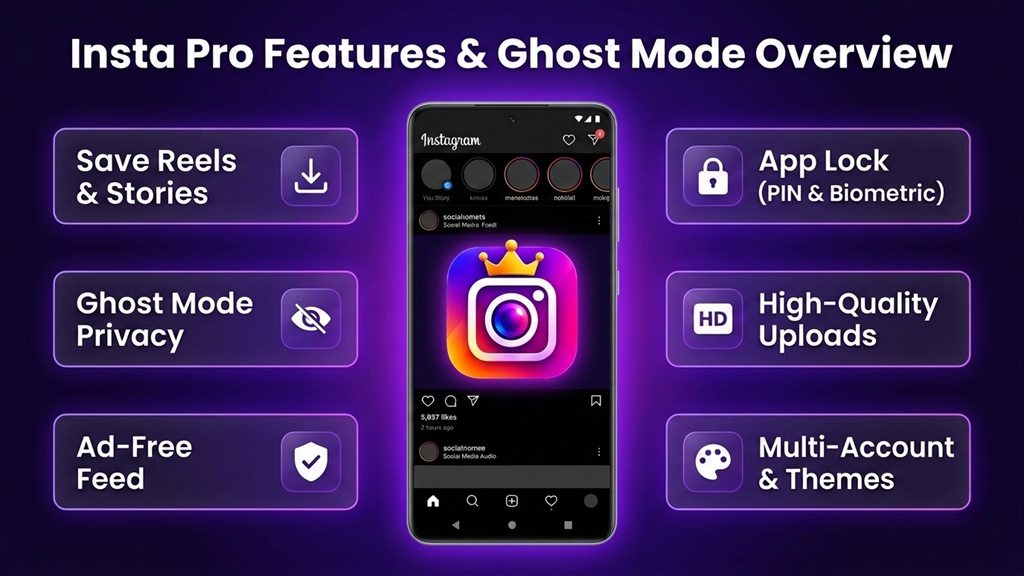
A download icon appears near each post, reel and story. One tap saves it to the gallery. Quality matches the original upload. Most people install the Insta Pro app for this feature alone.
Ghost Mode puts the privacy switches in one menu. Stories can be opened without adding a name to the viewer list. The seen tick in chats, the typing sign and the online status can be hidden too. These switches depend on how Instagram works at the moment, so they work best on the newest build.
Many sponsored posts are removed from the feed, so more of what shows up comes from accounts that are actually followed.
Photos and videos go up with less compression, so they keep more detail. Sharp photos and images with small text show the difference most.
A built-in lock asks for a pin or fingerprint when the app opens. It is useful when the phone is shared with family.
Several accounts can stay logged in and switch with one tap. There is no need to log out and in again.
Colors, fonts and the dark theme can all be changed. A larger font size also helps on small screens.
A long press copies text that the regular app does not let anyone copy. It works well for saving a recipe, a hashtag list or a username.
Tap a profile photo to see it at full size.
Posts and comments in other languages can be translated inside the app. The translation is rough, but it is enough to follow what a post or comment says.
This tool shows who does not follow back. It may ask for extra access, so share only what it needs.
Ghost Mode is the feature people ask about most, so each option gets its own short note here.
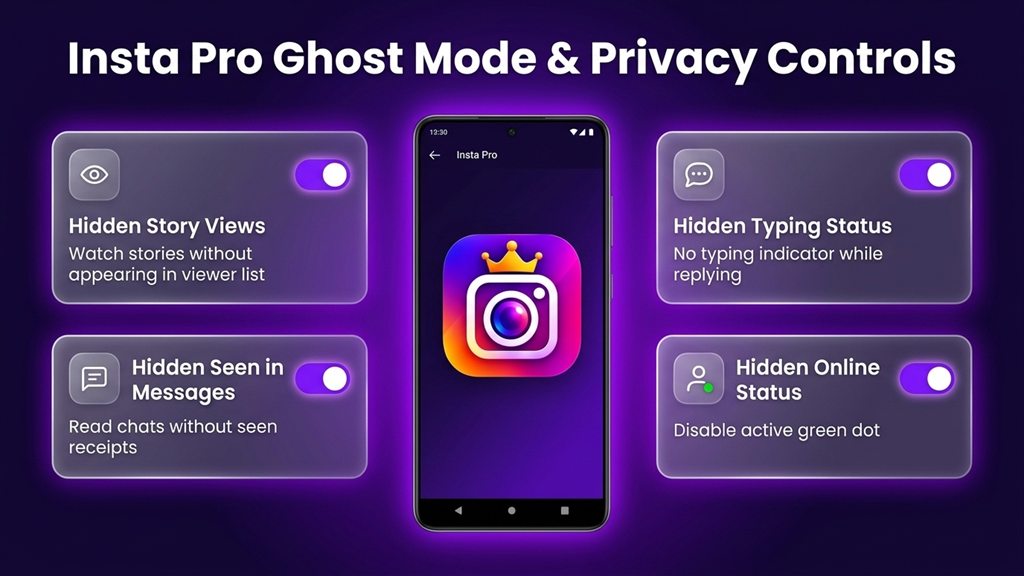
With this option on, a story can be opened without adding a name to the creator’s viewer list. Opening the same story with the option off adds the name as usual, so check the switch before tapping.
Normally the sender sees a seen mark once a chat is opened. With this option on, the chat can be read without that mark. Sending a reply still shows that the chat was read.
The typing sign stops appearing while a reply is written. This helps when a long message takes a while to type.
The green online dot for the account is turned off, so friends cannot see when the account is active.
Likes, comments, follows and replies still show the account name. Ghost Mode only covers viewing and reading signs.
| Setting | What it does | Good starting choice |
|---|---|---|
| App Lock | Asks for a pin or fingerprint at launch | On |
| Hide story views | Opens stories without adding a name to the viewer list | On, then test |
| Hide seen in messages | Reads chats without the seen mark | On if wanted |
| Hide typing status | Stops the typing sign | Personal choice |
| Download folder | Sets where saved media goes | A named folder |
| Auto-play | Plays reels and videos on their own | Off on mobile data |
| Upload quality | Controls how much detail photos and videos keep | High on Wi-Fi |
| Notifications | Controls alerts | Messages and comments only |
Setting names can differ slightly between builds.
Each release follows a similar pattern:
The current version number is in the file details table at the top.
| Item | Recommended | Notes |
|---|---|---|
| Android | 8.0 or newer | Newer versions run smoother |
| RAM | 3 GB | On 2 GB the app opens fine, and reels run best with other apps closed |
| Free space | 1 GB | Cache and saved media grow over time |
| Battery | Above 30% | Keep the phone charged during install |
The app runs on most Android tablets. The layout is made for phones, so it looks wider on a big screen.
There is no direct Windows version. Some people run the APK through an Android emulator. It works best on a strong PC, and for daily use a phone is the easier choice.
APK files are made for Android, and iPhones use a different file type. Pages that mention an iPhone build are best checked twice before sharing any details. iPhone users can stay with the regular Instagram app.
Android 8 and 9: The unknown-apps switch is set for each app, like the browser or the Files app. Older phones may feel slower with reels.
Android 10 and 11: Android limits which folders an app can use, so saved photos and videos usually go to shared folders like Pictures and Movies.
Android 12 and 13: Android 13 asks for permission to show notifications at the first launch. Allow it only if alerts are wanted.
Android 14 and newer: Installs work the same way. Check the minimum Android on the file before downloading, since Insta Pro 3 lists Android 9 or newer.
Copy important photos and videos from the gallery to another place. For chats and posts, Instagram has a Download your information option in Accounts Center. A backup takes only a few minutes.
This step keeps a copy of posts, chats and more. It takes only a few minutes to start.
Instagram sends an email when the file is ready. That can take anywhere from a few minutes to a few days, so it is best to start before installing anything. Menu names can change over time.
Many pages offer an Insta Pro APK Download. Stay on one page, tap only the main download button, and skip pop-ups or ads that only say Download. Avoid any page that asks for an Instagram password before giving the file. The file never needs it.
About 1 GB of free space keeps the install smooth. A quick cleanup takes around five minutes:
A few quick checks help before tapping any download button:
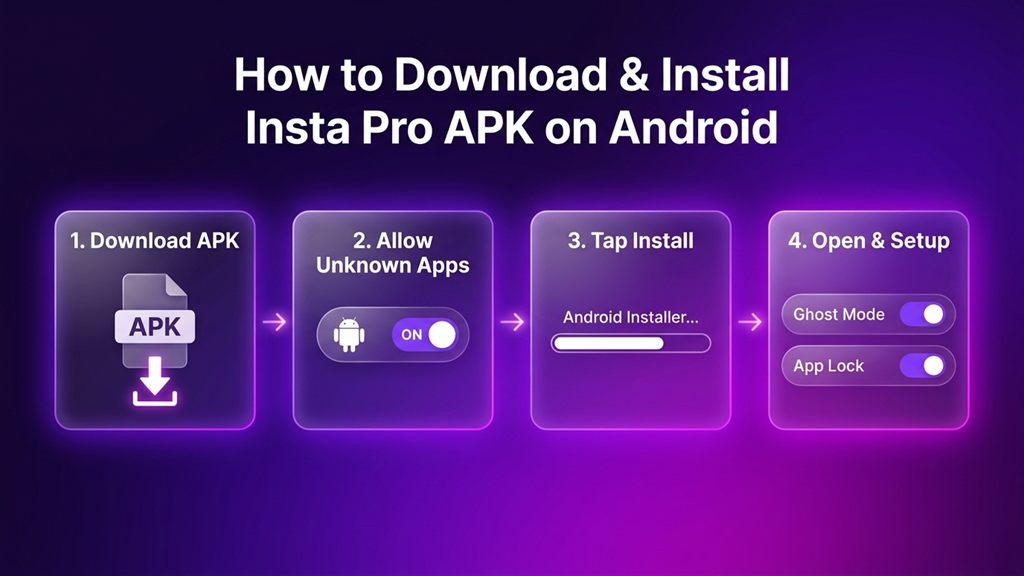
The Insta Pro Mod APK Download takes about two minutes on Wi-Fi.
After the install, switch the unknown-apps permission off again.
The steps are the same on every Android phone, but the screens look different. The wording can also change between Android versions.
After tapping the APK, a message says installs from this source need permission. Tap Settings, then switch on Allow from this source.
The same switch appears, and a security scan may follow. Tap Install anyway if the scan offers it.
An Install unknown apps screen appears. After switching it on, a short check may run before the Install button shows.
Go to Settings, Apps, Special app access, Install unknown apps. Pick the browser or the Files app and allow it.
The prompt is similar to the Samsung one. Allow the source, then tap Install.
The first start can take a little longer while the app sets itself up. After login, the extra options usually sit inside the settings menu. Spend a minute there before scrolling the feed.
Menu names can differ slightly between builds, but the steps stay close to these.
Log in with a spare account and give the app a moment to load. Turn on two-step login before anything else.
Open a post, reel or story. Tap the download icon or the three-dot menu, then choose the save option. The saved file shows up in the gallery or in the download folder set in the app settings.
Open the Insta Pro settings and find the Ghost section. Switch on the options wanted, like hidden story views, hidden seen ticks or hidden typing.
Long press the profile icon at the bottom, then pick another account. A new account can be added from the same menu.
These four situations show where the app helps most.
A cooking reel can vanish from the feed in a day. Tap the download icon and save it to a folder named Recipes. It plays later without internet. A long press on the caption copies the ingredient list as text.
Turn on hidden story views, open the story, then close it. Check the switch once more before leaving, because updates can change settings.
A personal account and a hobby account can stay logged in together. Long press the profile icon to switch. Different profile photos make it easy to see which account is open before posting.
When a child or a friend borrows the phone, App Lock keeps chats and saved posts closed. Set a pin that only the owner knows.
All three lines come from the same developer, SamMods, and all three are Instagram mods. Each line is its own app with its own file, build number and update schedule, so the details below are the quickest way to tell them apart.
| Detail | Insta Pro | Insta Pro 2 | Insta Pro 3 |
|---|---|---|---|
| Developer | SamMods | SamMods | SamMods |
| Package name | v15.90 | com.instapro | com.instapro3.android |
| Latest version listed | 15.90 | v15.90 | 421.0.0.51.68 |
| File size | 168.72 MB | 168.72 MB | About 149 MB |
| Minimum Android | Android 5.0 or higher | Android 5.0 | Android 9 or newer |
The Insta Pro 3 details come from a download listing dated May 2026. Numbers move with every update, so treat them as a snapshot and check the version near the download button.
Package name. This is the app’s ID on the phone. A different package name means the app installs as its own app. Insta Pro 3 uses its own name, so the regular Instagram app can stay installed next to it. Two lines that share one name replace each other when installed. Most download listings show the package name in their technical details.
Android version. Insta Pro 3 asks for Android 9 or newer. A phone on Android 8 may need an earlier line, so check the minimum Android on the file before downloading.
File size. At about 149 MB, Insta Pro 3 is a big file. Keep at least 1 GB free so the install and later updates have room.
Install one line at a time for the first week, then decide which one fits the phone best.
Other mods focus on different things. These notes come from general use and can change as builds update.
Instander is known for deep customization, with many menus and options. Insta Pro keeps the layout simpler and easier to learn.
Honista is a lighter mod known for story viewing and saving. It has fewer theme options, while Insta Pro offers more tools in one place.
AeroInsta has a long option list that power users enjoy. GB Instagram has been around for a long time and has a classic feel. Both give more settings to explore than Insta Pro.
| App | Known for | Good for |
|---|---|---|
| Insta Pro | Balanced set of tools | All-round use |
| Instander | Deep customization | People who like many settings |
| Honista | Light feel, story viewing and saving | Simple use |
| AeroInsta | Long option list | Power users |
| GB Instagram | Long-running mod with many tweaks | Long-time mod fans |
These are general notes. Builds change, so test any of them on a second account first.
Instagram changes often, so mod builds are refreshed to keep up. A new version usually brings features like downloads and Ghost Mode back to full speed.
Before updating:
After updating:
An older version helps when a newer build runs slowly on an old phone, or when a feature changed. Remove the newer app first, because Android does not install an older build over a newer one. Then install the older file the same way as any other APK.
Newer builds get the latest improvements first, so an older version works best as a short-term choice.
This message usually means an old copy is still on the phone, the new file is older than the installed one, or storage is low. Remove the old app, free some space, and install again.
Android shows this notice for apps from outside the Play Store. Read it and decide. To continue, tap More details, then Install anyway.
If a login does not go through, wait a few hours and try once more. Reset the password and keep two-step login on. Several quick attempts in a row make the wait longer.
First, check that the storage permission is allowed in Settings, Apps, Insta Pro, Permissions. After an Instagram change, the button may need a newer Insta Pro build.
| What you see | Likely cause | Fix |
|---|---|---|
| App will not open | File did not finish downloading | Download again and compare the size |
| Package parsing message | Incomplete file or Android older than 8 | Download again on steady Wi-Fi |
| Download pauses halfway | Weak connection or low space | Switch between Wi-Fi and mobile data, free space, try again |
| Feed does not refresh | Weak connection or full cache | Check the network, then clear cache in Settings, Apps, Insta Pro, Storage |
| App closes on its own | Old build or low storage | Update to the newest build and free space |
| Phone feels warm or slow | Low RAM or heavy media | Close other apps, lower media quality, turn off auto-play |
Insta Pro comes from independent developers and signs in through a modified client, so Instagram may treat it differently from the regular app. These steps keep things steady.
Use an account with no important photos or followers for the first week. Check that downloads, Ghost Mode and login work as expected before adding a main account.
Use a long, unique password and switch on two-step login in Instagram settings.
Menu names can change, but the path stays close to this.
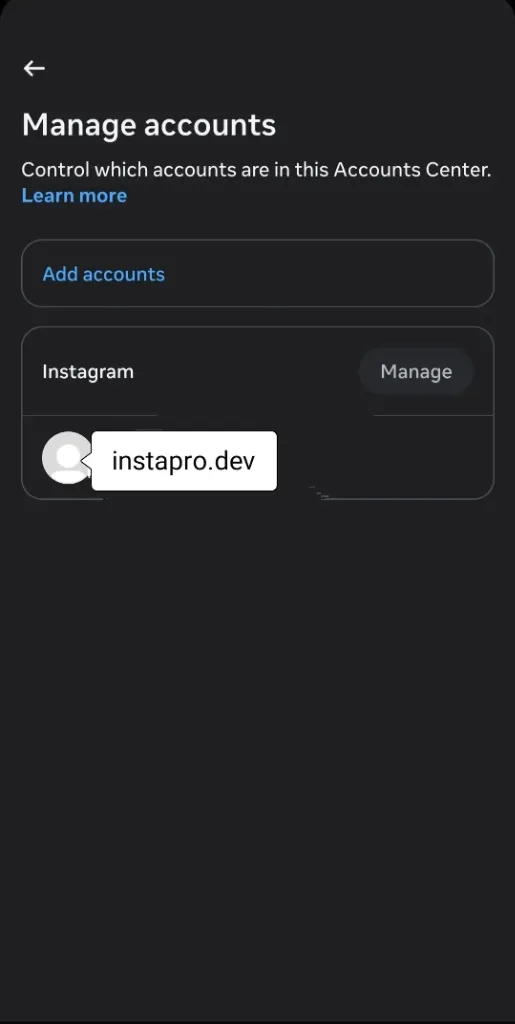
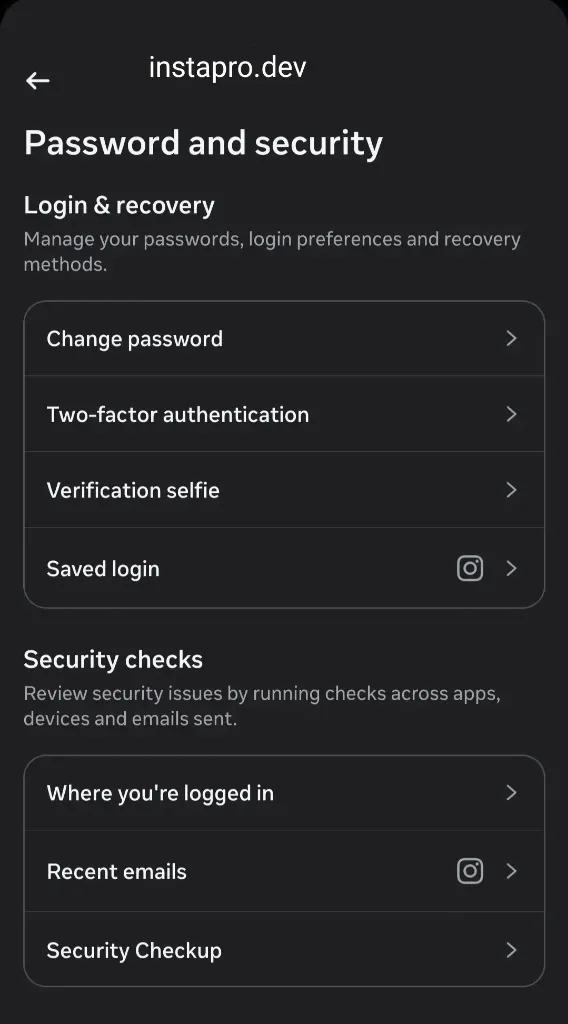
In Instagram, open Accounts Center, then Password and security, then Where you’re logged in. Sign out of any device that looks unfamiliar.
After that, log in to the regular Instagram app. The account stays as it was.
A slow start makes the app easier to trust. This plan is easy to follow.
the file Android uses to install an app.
a changed version of an app with extra or different features.
the app’s ID on the phone, like com.instapro3.android for Insta Pro 3.
the version number of a file.
installing an app from a file instead of the Play Store.
Android’s built-in app check, which can show a notice for apps from outside the Play Store.
the setting that lets a browser or Files app install APK files.
temporary files an app keeps so it can load faster. Clearing it does not log an account out.
removing the app and installing it fresh.
a group of switches that hide viewing and reading signs.
the developer name shown on download listings for this app.
It is the install file for Insta Pro, a modified Instagram app for Android with extra tools like downloads and Ghost Mode.
Yes. The file is free to download.
People use both names for the same kind of mod. The name to look for on the file is Insta Pro.
A second account is a good way to test first, since Instagram may treat modified apps differently.
Not on iPhone. On PC, an Android emulator is needed.
The version number, the file size and the .apk ending. Also check that the page never asks for a password.
They are saved in the download folder set in the app settings. If no folder is set, check the gallery.
No. It installs like any other APK.
Install the new APK over the old one. Back up important files first.
Some earlier builds run on older Android versions, though newer builds get the latest improvements. Android 8 or newer is the easy path.
Uninstall Insta Pro, then log in to the regular Instagram app with the same account.
That depends on the package name. Insta Pro 3 uses its own name, so both can stay installed. If a line shares the regular app’s name, one replaces the other. The package name is shown in the file listing.
A short reel is usually a few MB. Wi-Fi is the better choice when saving many posts in a row.
Check this page for a newer version. Download buttons and Ghost Mode switches usually come back in the next build.
Usually under a minute. The download takes longer because the file is large, about 149 MB for Insta Pro 3.
No. It is installed from an APK file, so updates are done by hand.
A modded app is a changed version of an app. Here, the changes add tools like downloads and Ghost Mode.
Download listings show SamMods as the developer.
No. A new APK has to be downloaded and installed over the old one.
No. The cache only holds temporary files. Clearing it helps with slow loading and a frozen feed.
App Lock. It takes a few seconds and keeps chats and saved media closed.
Insta Pro adds saving, privacy switches, fewer ads and themes to a familiar Instagram layout. InstaPro APK suits people who like trying new tools and are fine with updating by hand. Anyone who prefers automatic updates can stay on the regular app. For a smooth start, back up first, test on a spare account, and turn on App Lock and two-step login.
Last updated: . Latest version shown: 15.90.